Baby bathtime: Wherein 'adorbs' doesn't even come close
/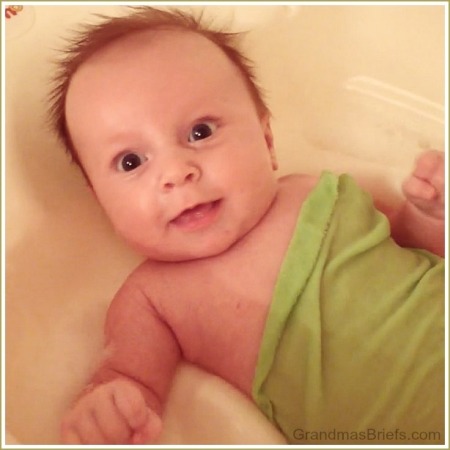
My three grandsons have all approached bathtime differently as babies. Bubby always enjoyed playing in the tub, especially when I come up with fun ideas for water play.
Mac, well he hated...
for grandmothers and others
Grandma's Briefs is for grandmothers and others. Bits on the good, bad, humorous and heartwarming of being a baby boomer, grandparent, parent to adult children, wife and writer. Features include lifestyle articles, reviews, recipes, grandma profiles, and more.



My three grandsons have all approached bathtime differently as babies. Bubby always enjoyed playing in the tub, especially when I come up with fun ideas for water play.
Mac, well he hated...
In yet another edition of Why This Long-Distance Grandma Loves Technology, consider this:

Without the...
My second grandson will turn three years old in a couple weeks.
Because I'm unable to attend Mac's birthday party or see him that day — par for the course for a long-distance grandma — I was delighted to have a chance to throw a mini celebration after dinner last night in honor of his birthday No. 3.
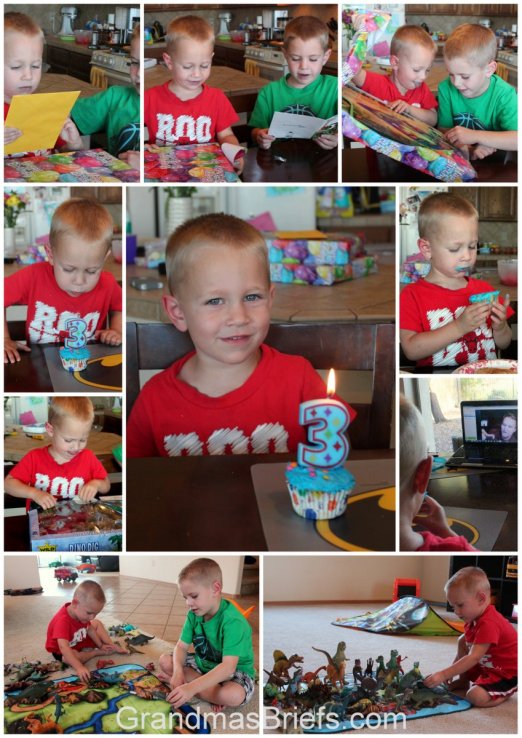
Even PawDad joined us from more than 800 miles away, thanks to Skype.
Three cheers for unexpected desert visits — and technology — for making it possible for PawDad and me to mark the milestone with Mac.
Today's question:
Whose birthday is next on the calendar in your family?
I'm in a movie! Yes, I finally made it to the big time.

Actually I'm just a...
Throw Back Thursday
It was 1994 — nearly 20 years ago — that Jim managed to land a used computer from work, one to bring home for the family to marvel over and use on a daily basis.
 Andrea plays solitaire like a modern girl, Sept. 1994We felt so modern, so plugged in — literally plugged in, with a dial-up modem and all. And oh, the options! We had not only the ability to use 5-1/4-inch floppy disks, our high-tech hand-me-down featured the more up-to-date drive for the not-quite-as-floppy 3-1/2-inch disks, too.
At the start we could access only the public library. Even then, though — months before we signed up for Prodigy — the FTP access to more information than I ever imagined possible absolutely blew. my. mind.
No more Smith Corona word processor for me. I had a computer!
Today's question:
When did you get your first computer and what was your first Internet service?
The last couple of weeks, I've been spending much time and energy trying to better figure out Google+. Most specifically, I'm working on getting the hang of Google+ hangouts. Google+ hangouts are quite similar to Skyping, only it's super simple to have a large number of people join you. They're a fantastic way to participate in (or just watch) online interviews and information sessions on a variety of topics, as well as visit with friends and family.
Chloe from GenerationFabulous.com has been instrumental in encouraging all the Generation Fabulous members — of which I'm one — to hop aboard the Google+ train, and she led the first Google+ hangout I've joined. It was an opportunity for those of us who have never hanged out (or whatever the grammatically correct term might be) to try it in a low-stress atmosphere.
During that first hangout, Chloe taught me and some other newbies a thing or two, such as how to make our names show up during a hangout — especially handy for those of us who want to look professional when getting interviewed online. I've never been interviewed online (nor am I ready to be) but I followed her directions and now come across quite professional looking in a Google+ hangout. Well, at least the label does.
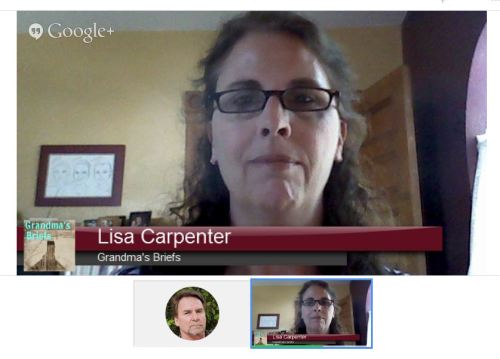 (The picture of Jim is there because I did this practice one with Jim to get shots for this post; hangouts require you to, well, hang out with someone. He didn't use video, so just his profile photo shows up.)
Chloe also showed us how to access nifty tools that make us look the opposite of professional. They're fun things that enhance the experience when participating in a hangout with grandkids, which is one of the more awesome reasons to figure out Google+ hangouts, if you ask me.
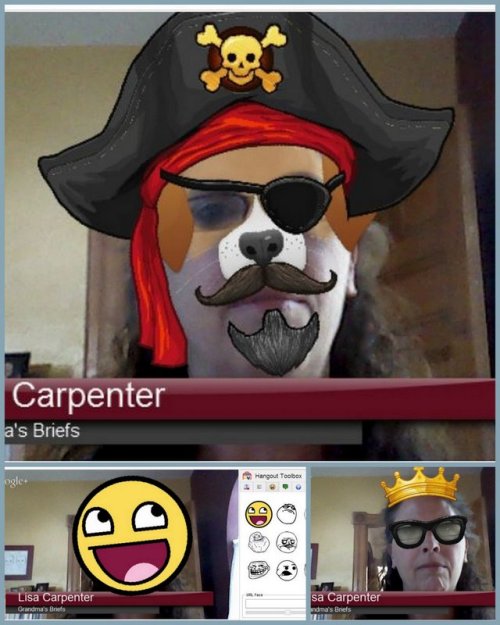
I'd also like to figure out the hangouts so I can hang out with friends who are scattered across the country. I'd be happy to wear a crown or smiley face then, too.
There also are some fun sounds to make grandkids (and big kids) chuckle while hanging out:
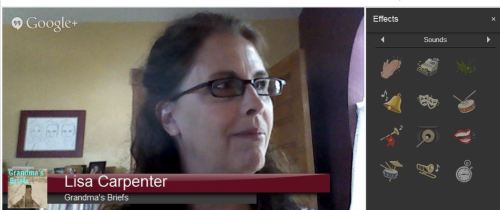
Also cool for hangouts with grandkids: The storytime feature in which you can choose a book from the bookshelf and read it aloud to kiddos watching and listening from their end.
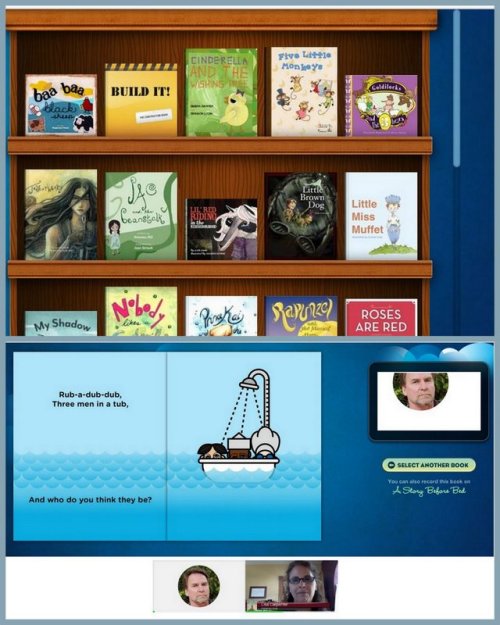
That's just a small snippet of Google+ hangouts and why I think they're pretty darn cool.
So why do I say Google+ hates me?
Well, because with all the cool things I could do with Google+ hangouts, my microphone doesn't work most of the time. I can Skype just dandy in the morning, but when I attempt a hangout in the afternoon, I sound like I'm underwater. Or I can't be heard at all.
I first thought it was a problem with my computer and my microphone, but it's not. Like I said, my mic works fine for Skype. It does not work fine for Google+ hangouts. And yes, I do have all the settings set correctly (I've checked... about 316 times). I've also replaced the audio drivers on my computer just in case... and my mic still doesn't work for Google hangouts. At least not most of the time.
I've searched and searched and searched for an answer online. Only to find a large group of equally unhappy folks with equally distressing problems when it comes to Google+ hangouts. It's not us, it's them. Meaning it's Google+.
Google+ hates us. For some unknown reason.
And that just plain stinks because I want so badly to play in Google+ hangouts. I so want to wear a pirate hat and patch while reading a story to Bubby and Mac. Or while enjoying a drink and some girl talk with faraway friends.
But I can't. Because Google+ hates me.
And that, unfortunately, is what I learned this week.
(I'm hoping what I learn by this time next week, though, is how to make my mic always work in the hangouts. I'm not giving in to the Google+ hate that easily. Stay tuned.)
Today's question:
What did you learn this week?
Grandma's Briefs is for grandmothers and others. Bits on life's second act and the empty nest: the good, bad, humorous and heartwarming of being a baby boomer, grandparent, parent to adult children, wife and writer. Features include lifestyle articles, movie reviews, recipes, product reviews, auto test drives, grandma profiles, and more.
Thank you for visiting Grandma's Briefs, where I share my snippets, er, briefs on the good, bad, humorous, and heartwarming of being a grandmother, baby boomer, parent to adult children, wife, and writer. Learn more about me here. And email me any time at lisa@grandmasbriefs.com.
Jim (aka PawDad) and Lisa (me)
Brianna (oldest daughter) and hubby Patrick with Benjamin, Robert, and James
Megan (middle daughter) with hubby Preston and Declan, Camden, and Brayden
Andrea (youngest daughter) with me at a recent concert
Click here for The First-Time Grandmother’s Journal on amazon.com
click here for a love journal: 100 things i love about grandma on amazon.com
Click graphic for links to my articles
I do not share personal information with third parties nor do I store information I collect about your visit to Grandma's Briefs for use other than to analyze content performance through the use of cookies, which you can turn off at any time by modifying your Internet browser's settings. I am not responsible for the republishing of the content found on this blog on other Web sites or media without my permission. This privacy policy is subject to change without notice.
Grandma's Briefs, Grilled Grandma and all content unless otherwise noted Copyright ©2025, Lisa Carpenter. All rights reserved.